🎨 Customization
NNViz also allows you to customize the graph representation of the model using the -S or --style option. Currently there are limited style options, but I plan to add more in the future. You can pass multiple style options at once, providing the -S option multiple times.
Style options are passed as a string in the form key=value. Don’t worry about the type of the value, it will be automatically inferred by pydantic. The available options are:
fontname: str - The font to use for the graph. Default is “Arial”.default_node_color: str - The default color for nodes (in case the colorizer fails to return a color). Default is “gray”.default_edge_color: str - The default color for edges. Default is “black”.node_style: str - The style for nodes. See graphviz docs for details. Default is “rounded,filled”.node_margin: str - The horizontal and vertical margin for nodes. See graphviz docs for details. Default is “0.2,0.1”.edge_thickness: str - The thickness of edges. Default is “2.0”.graph_title_font_size: int - The font size for the graph title. Default is 48.node_title_font_size: int - The font size for the node title. Default is 24.cluster_title_font_size: int - The font size for the cluster title. Default is 18.show_title: bool - Whether to show the graph title. Default is True.show_specs: bool - Whether to show the specs as a label for each edge. Default is True.show_node_name: bool - Whether to show the node name (just below the title). Default is True.show_node_params: bool - Whether to show the count of parameters for each node. Default is True.show_node_arguments: bool - Whether to show the arguments for each node. Default is True.show_node_source: bool - Whether to show the source of each node. Default is True.show_clusters: bool - Whether to show the clusters as gray subgraphs. Default is True.
Let’s try to disable everything that can be disabled via the style options:
nnviz resnet18 -S show_title=False -S show_specs=False -S show_node_name=False -S show_node_params=False -S show_node_arguments=False -S show_node_source=False -S show_clusters=False
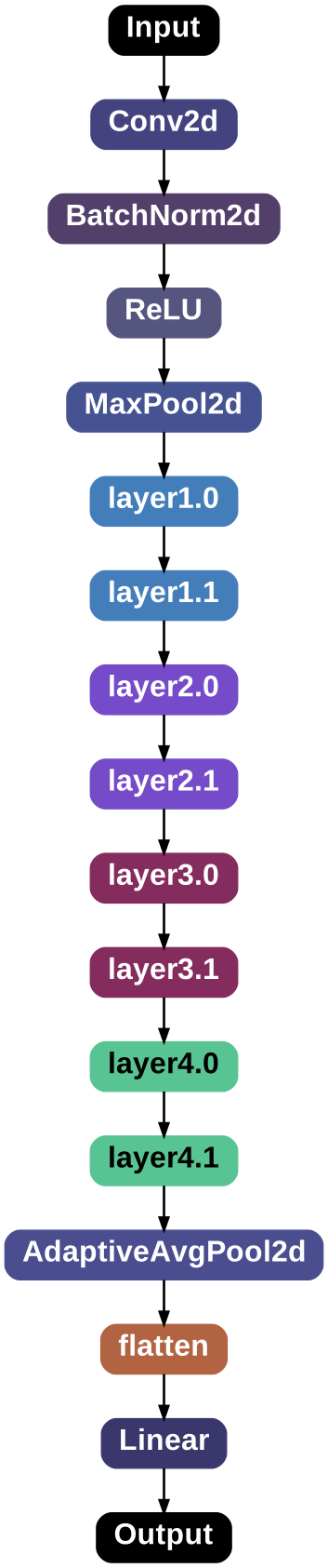
Minimal NNViz visualization